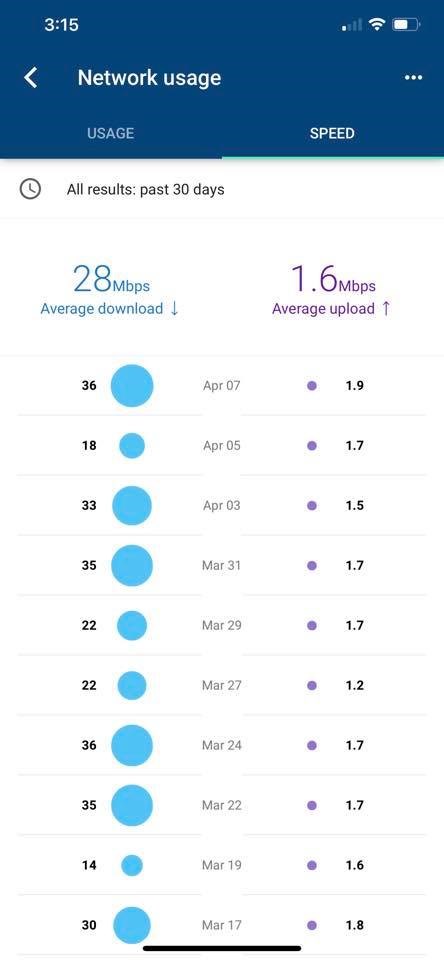
We have the same plan and seem to do well with our speeds and have probably over 50 devices and smart bulbs.
Now sometimes if one of the kids is downloading a large game on the xbox we might have some buffering but I have my router to control those or just pause the internet on the devices that are hogs. We also have our own router, we are using the google nest (3 pack) and you should at least once a week shut it down or any router down for that matter for at least five minutes. I just have a timer thing on it and it does this at 3 am when know one is using it...
I think I even at the same time as my router shut the xplornet (netset) radio off as well for at least 5 minutes each week (I think I have mine down for 15 minutes every Wednesday morning). A simple timer can do this at a time of day that won't affect anything but thats good maintenance for your router if you are not already doing that. That can help reset the network and connectivity.
Another thing to consider is distance to the tower and do you have any obstructions like trees or hills that could be affecting the signal.
Router location can also be something that might affect wireless signal and strength. We had to move our Telus wireless home phone upstairs and away from our router so it now above the router and not mixing with the wireless internet. My cordless phone main base is also placed upstairs so that signal is also not near the router. It's not supposed to affect but it made a difference in our house.... A lot less disconnects and problems.
Another question is how old is your router? if you’re using a 10-year-old router (or one you don't know the age to) that no longer receives security updates, it's not a bad idea to maybe get something newer.
Nothing is a simple solution but if nothing else works try calling and see if there is anything else they can do. Maybe even a discount...